
The Maps Metrics Glossary: Every Google and Apple Reporting Term, Translated
August 6, 2026 · PinPointMAPS.us
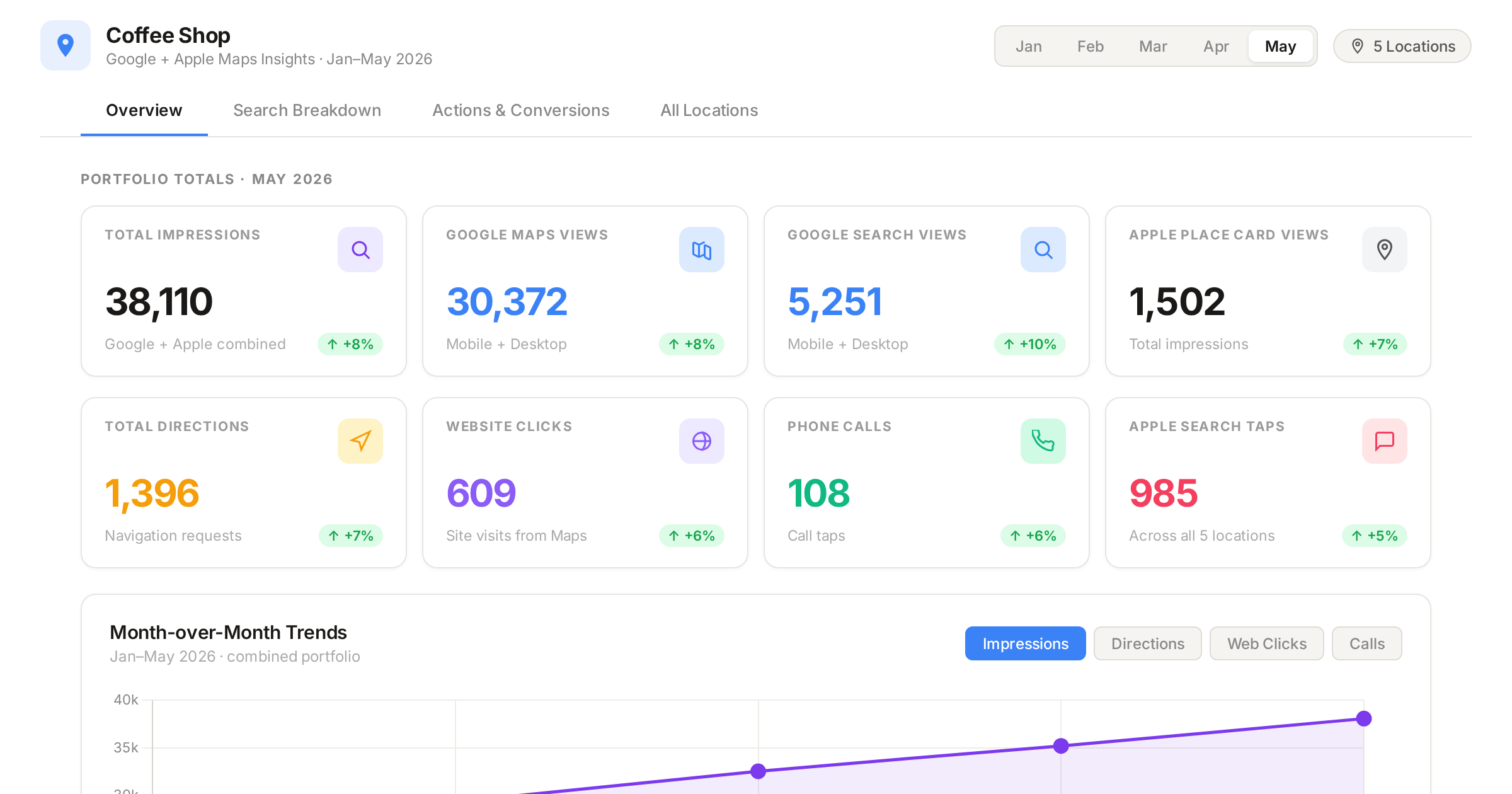
Your Google report says "directions." Your Apple report says "Action taps." Your ad platform says "impressions." Three different words, three different counting rules, and one very confused monthly meeting.
Maps reporting is not hard, but it is inconsistent. Google and Apple measure similar behavior, name it differently, and count it differently. If you are managing one location, that is annoying. If you are managing forty, it is the difference between a report you trust and a report you skim.
Here is the full glossary, split by platform, with a translation table and the traps that trip up most operators.
Part 1: Google Business Profile Terms
Google's reporting lives under the Performance tab of your Business Profile.
Business Profile interactions: The umbrella number. It is the sum of your customer actions: calls, messages, bookings, direction requests, and website clicks. It is a useful headline figure and a terrible diagnostic. Always read the mix underneath it, not just the total.
Views (impressions): The number of times your profile was shown to someone on Google Search or Google Maps. The important detail: multiple impressions from the same person in the same day are counted as one. This is a reach number, not an attention number. Being displayed in a list of results counts.
Platform and device breakdown: Where those views came from, split four ways: Google Search on mobile, Google Search on desktop, Google Maps on mobile, Google Maps on desktop. This is the single most underused panel in the whole dashboard. Search views and Maps views behave very differently, and so do the people behind them.
Searches breakdown: The actual search terms that surfaced your profile, ranked by volume. This is your keyword report. It tells you what Google thinks you are, which is not always what you think you are.
Direct searches vs. discovery searches: Legacy terminology from the old Insights interface that still appears in plenty of third-party reports. A direct search is someone typing your business name or address. A discovery search is someone searching a category or service and finding you. Direct is brand demand. Discovery is category demand. If you see these terms in a report, know that they are not part of Google's current native Performance view.
Calls: The number of times someone clicked the call button on your profile. Read that carefully. It counts the click, not the conversation. It does not capture calls placed by dialing your number manually, and it does not tell you whether anyone picked up.
Directions: The number of direction requests to your location. Google has adjusted how it counts these to account for multiple taps by the same person and for canceled requests, so treat this as a deduplicated figure rather than a raw tap count. This metric does not exist for service area businesses without a listed address.
Website clicks: Clicks on the website link on your profile. Tag this link with UTM parameters or you will never separate profile traffic from the rest of your organic traffic in analytics.
Messages: The number of separate conversations started through your profile. Conversations, not individual texts.
Bookings: Completed bookings made through your profile. This only populates if you have a booking provider connected. No provider, no data, and a zero here means nothing.
Food orders and menu clicks: Restaurant-specific. Food orders placed through your profile with a participating provider, and clicks on your menu content.
Booking clicks: Hotel-specific. Clicks on your booking link.
Part 2: Apple Business Connect Terms
Apple's reporting lives in the Insights section of Apple Business Connect. Apple leans on the word "tap" the way Google leans on "click," and it structures everything around the Place Card.
Place Card: Apple's name for your listing. It is the panel that opens when someone selects your business in Apple Maps. Google calls this a Business Profile. Apple calls it a Place Card. Same concept, different vocabulary.
Search taps: The number of times customers tapped your location in search results. This is your entry point metric. Note the difference from Google: Apple counts the tap on the result, not the appearance of the result.
Search type: How they found you, split three ways. Name or brand search means they searched your brand directly. Category search means they searched a product, service, or category and you came up. Other covers city and address searches plus anything unclassifiable. This is Apple's version of the direct vs. discovery split, and it is genuinely useful for telling brand demand apart from category demand.
Place Card views: Views of your Place Card, counting people who tapped you in search results, tapped you on the map, and arrived via referrals from Apple or third-party apps. This is closer to a profile view than to a Google impression.
Place Card interactions (Action taps) Apple's customer action bucket. It contains:
Directions: tapped to request directions to your location
Website: tapped your website URL
Call: tapped your phone number
Share: tapped the Share button
Photos: tapped or swiped in the photo gallery
Showcase: tapped your Showcase, if you have one running
Brand Actions: tapped an action button such as reserve, order, or view menu
Two of these have no Google equivalent at all. Share and Photos are Apple-only signals, and photo interaction is a genuinely useful read on whether your imagery is doing any work.
Showcase Apple's promotional unit, roughly analogous to a Google post or offer. Showcase taps are reported natively in Business Connect, though availability through third-party tools and the API has been limited.
Spatial Insights: Apple's routing map. It shows the top locations customers were routed from when they requested directions, as a heat map you can zoom or as a ranked list by zip code capped at ten results. Available monthly only. For multi-location operators deciding where the next site goes, or where to aim local ad spend, this is the most valuable panel Apple offers.
Similar Locations: A benchmark module comparing your Place Card to similar locations on photo gallery count, photo interactions, and Place Card views. Similarity is based on category, market segment, products and services, price point, and proximity. It appears only when minimum reporting thresholds are met.
Reporting threshold: Apple suppresses low-usage metrics by displaying them as zero to protect individual customer privacy. This is the single most misread thing in Apple reporting. A zero can mean "no activity," or it can mean "activity below the threshold." Longer aggregation periods are more likely to clear the bar, which is why monthly numbers are more trustworthy than daily ones for smaller locations.
Part 3: The Translation Guide
"We were shown to someone."
Google calls it Views, or impressions. Apple does not report it at all.
"Someone opened our listing."
Google folds this into Views. Apple reports it separately as Place Card views.
"Someone selected us out of the results."
Google does not break this out. Apple calls it Search taps.
"They wanted directions."
Google calls it Directions. Apple calls it Directions, reported as an Action tap.
"They clicked through to our site."
Google calls it Website clicks. Apple calls it Website, reported as an Action tap.
"They tapped to call."
Google calls it Calls. Apple calls it Call, reported as an Action tap.
"How many customer actions did we get in total?"
Google calls it Business Profile interactions. Apple calls it Place Card interactions, or Action taps.
"What are people searching to find us?"
Google gives you the actual search terms under Searches breakdown. Apple gives you category buckets only, under Search type.
"Is that brand demand or category demand?"
Google used to split this into direct and discovery searches, which now survives mainly in third-party reports. Apple splits it into name or brand search versus category search.
"Where are our visitors coming from?"
Google does not report it. Apple gives you Spatial Insights, with routing origin by zip code.
"Did anyone engage with our promo?"
Google reports views on posts and offers. Apple reports Showcase taps.
"Are our photos doing anything?"
Google does not report it. Apple reports Photos as an Action tap.
The two lines worth staring at: Google reports impressions, and Apple does not; and Apple reports routing origin, and Google does not. That is why you cannot simply add the two platforms together and call it a number.
Part 4: Five Ways These Numbers Get Misread
1. A tap is not a customer. Click-to-call counts the tap on the button. It does not know whether the call connected, whether anyone answered, or whether the caller was a supplier. Treat action metrics as intent, not as revenue.
2. Google's views and Apple's Place Card views are not the same unit. Google deduplicates impressions per unique user per day and counts appearances in results. Apple counts card opens. Stacking them into one "total visibility" figure produces a number that means nothing.
3. Google data lags by a couple of days. Checking on Wednesday usually shows you data through Sunday or Monday. Never react to yesterday.
4. A zero on Apple is not always a zero. See the reporting threshold above. Roll up to monthly before you conclude a location is dead.
5. Views climbing while actions stay flat is not a visibility problem. It is a conversion problem on the listing itself. More people are seeing you and fewer of them are acting. That usually points at photos, reviews, hours, categories, or a missing action button, not at rankings.
Part 5: Which Numbers Should Actually Judge Your Listing
Pick the one or two that match how you make money, then judge the profile mainly on those.
Destination businesses (parking, retail, car washes, urgent care): direction requests first, calls second. Direction requests are the closest thing Maps gives you to a physical visit.
Phone-driven services (collision, appliance repair, contractors): calls first, and put call tracking behind the number so you can hear what is actually coming in.
Book-online businesses (med spas, salons, restaurants): website clicks and brand actions or bookings first.
Multi-location brands: none of the above in isolation. Look at variance across locations. When one site's direction requests run half the portfolio average on similar volume, the problem is that listing, not the market.
And read trends, never single days. One quiet Tuesday is weather. A three-month slide in website clicks is a message.
The Short Version
Google measures how often you were shown and what people did next. Apple measures how often people chose you and what they did on the card. Neither one is the whole picture, and neither one is optional if you have a physical location.
Most operators are looking at half of it. They check Google occasionally, have never opened Apple Business Connect, and have no idea that Apple will tell them which zip codes their customers drive in from.
At PinPointMAPS, we manage both platforms for every location we work with, and reporting comes to you by location with a portfolio roll-up, in plain language, using the definitions above. If you have profiles you have never looked at on either platform, that is usually where the easiest wins are hiding.
Want a read on your current numbers? Get in touch at hello@pinpointmaps.us or call 646-509-5102.